
Purchase Order payments are available to Organization accounts only. See instructions for How to Create Your LSC Registration Account Please contact us to confirm authorization.
During checkout, you will see 2 options for payment:
- Credit Card
- Purchase Order
To check out using the Purchase Order option, complete the required fields, marked with an asterisk (*). Upload a pdf copy of your Purchase Order in the File Upload field. Click Submit when complete.
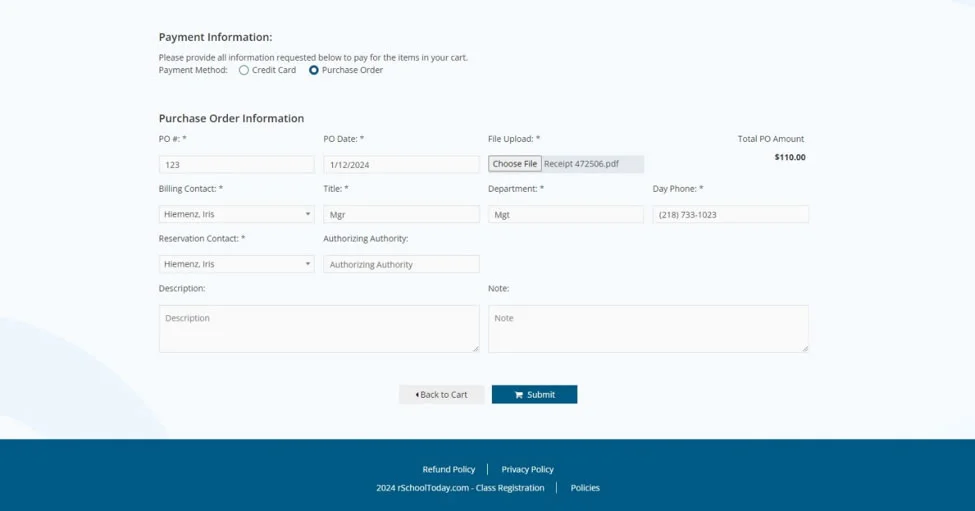
Your invoice is instantly available after you submit your purchase order. You are responsible for retrieving your invoice & routing it for payment. Invoice payments are due within 30 days of registration.
To retrieve your invoice, navigate to the Payment History tab on your account.
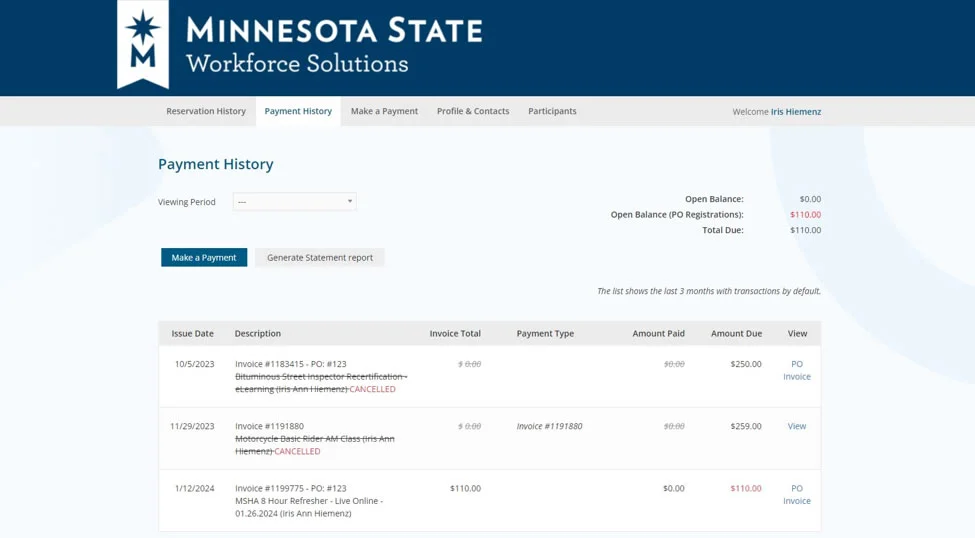
Select the invoice you wish to retrieve from the list by clicking on the blue word Invoice or View on the right. You may download, print, or email the invoice when it pops up on your screen.
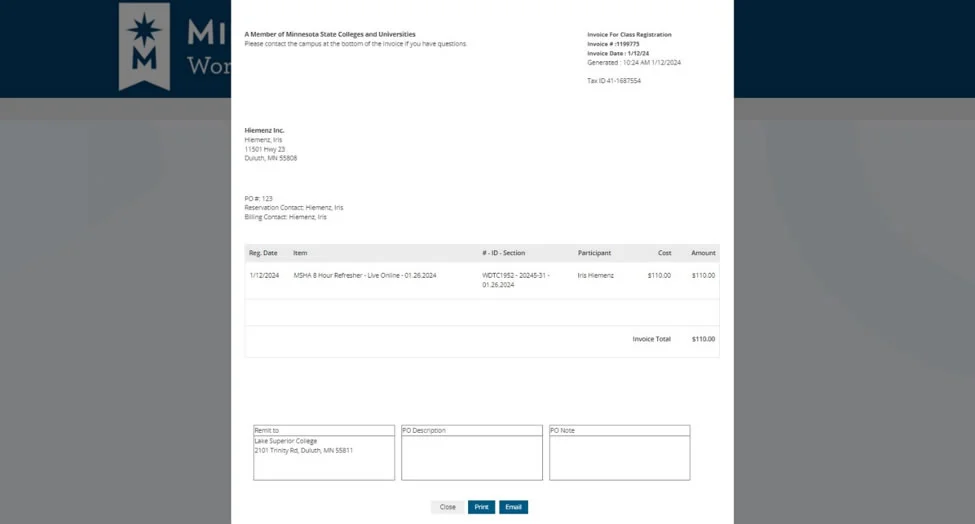
Please note that your invoice is also immediately available to pay by credit card under the Make a Payment tab in your account.
If you are paying by check, please send to:
Lake Superior College
2101 Trinity Rd
Duluth, MN 55811